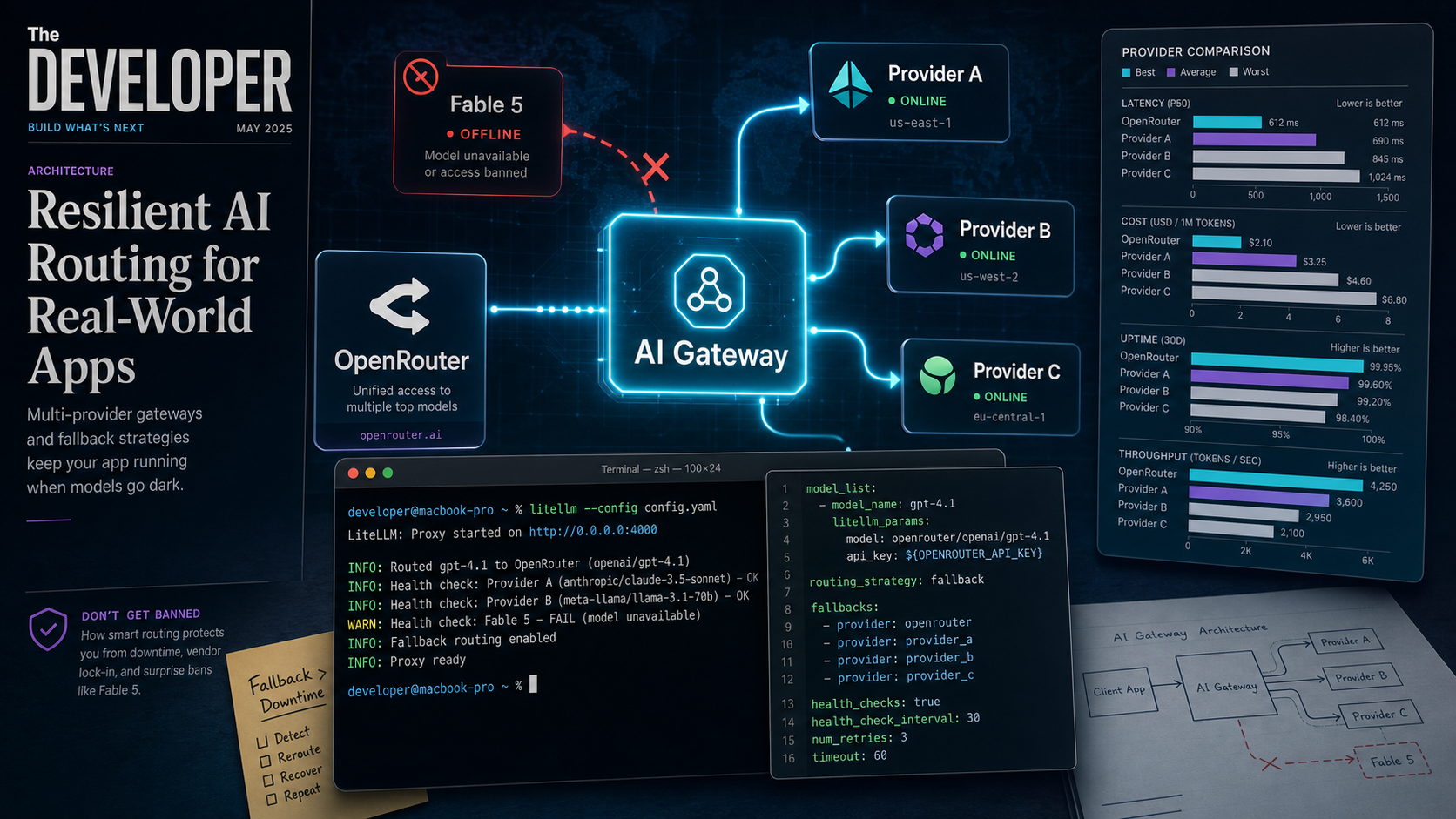
Why this matters now
On June 12, 2026, at 5:21 PM ET, the U.S. government ordered Anthropic to suspend Fable 5 and Mythos 5 for all foreign nationals. Within 90 minutes, both models were gone — worldwide. Every application that hardcoded claude-fable-5 in its API calls started returning errors.
That was not a bug. It was not a server outage. It was a geopolitical decision delivered on a Friday afternoon, and it took down thousands of integrations because nobody had a fallback.
The Fable 5 incident proved something the industry has been slowly realizing: single-provider dependency is an architectural risk. Not theoretical — a real, 90-minute-notice, pull-the-rug risk. The same week, Z.ai released GLM-5.2 under an MIT license, and Kimi K2.7-Code shipped at $0.95/M tokens. The alternatives exist. The question is whether your stack can use them without a rewrite.
Two approaches — OpenRouter for a quick hosted setup and LiteLLM for a self-hosted gateway — with copy-pasteable configs for both.
Option 1: OpenRouter — 5-minute hosted fallback
OpenRouter is a hosted API gateway that sits between your app and 400+ models from 60+ providers. You send requests to one endpoint, and OpenRouter handles routing, fallbacks, and failover. It takes about five minutes to set up.
How it works
OpenRouter’s models parameter lets you specify a prioritized list of models. If the primary model’s provider is down, rate-limited, or refuses a request, OpenRouter automatically tries the next model in the list.
Your App → OpenRouter → [Primary Model]
                          ↓ (if down / rate-limited / refused)
                        → [Fallback Model 1]
                          ↓
                        → [Fallback Model 2]
Step 1: Get an API key
Sign up at openrouter.ai/keys and create a key. Add credits — $10 is enough to start testing.
Step 2: Basic fallback with the OpenAI SDK
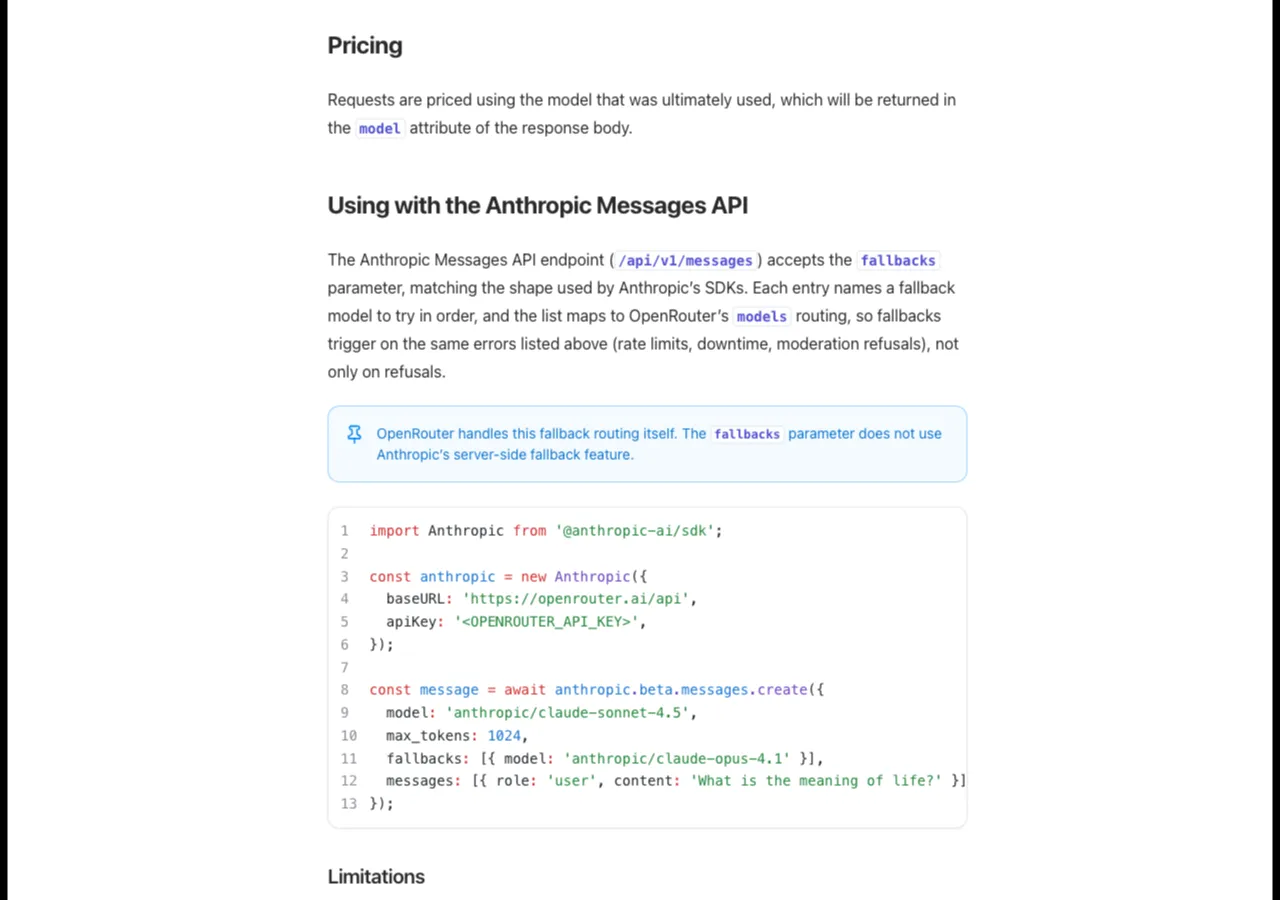
OpenRouter’s model fallbacks: specify a prioritized list, and it handles the rest.
import os
from openai import OpenAI

client = OpenAI(
    api_key=os.environ.get("OPENROUTER_API_KEY"),
    base_url="https://openrouter.ai/api/v1",
)

response = client.chat.completions.create(
    model="openai/gpt-5.5",  # primary
    messages=[{"role": "user", "content": "Explain the Fable 5 ban."}],
    extra_body={
        "models": [
            "openai/gpt-5.5",           # try OpenAI first
            "anthropic/claude-opus-4.8", # fallback to Anthropic
            "google/gemini-3.1-pro",     # then Google
            "moonshotai/kimi-k2.7-code", # then open-weight models
        ]
    },
)

print(response.choices[0].message.content)
That is the entire setup. If GPT-5.5 returns a 429 (rate limited), a 503 (provider down), or a content-moderation refusal, OpenRouter moves to Opus 4.8, then Gemini, then Kimi. Your application code never changes.
Step 3: Route by capability with the Auto Router
OpenRouter’s Auto Router lets you specify what capability you need instead of a specific model. It selects the cheapest provider that meets your requirements:
response = client.chat.completions.create(
    model="openrouter/auto",
    messages=[{"role": "user", "content": "Write a React component."}],
    extra_body={
        "plugins": [{"id": "auto-router", "max_price": {"prompt": 2, "completion": 10}}]
    },
)
Useful when you care about price and capability but not about which specific model serves the request.
Caveats
- OpenRouter charges a 5.5% credit fee on top of provider pricing.
- You cannot customize cooldown logic or per-provider retry behavior.
- If OpenRouter itself is down, your app is down. It is a single point of failure — just at a different layer.
- Free tier is limited to 50 requests/day and 4 RPM.
Option 2: LiteLLM — self-hosted fallback gateway
LiteLLM is an open-source Python proxy that gives you fine-grained control over routing, fallbacks, retries, and rate-limit management. You host it yourself — on a VM, in Docker, or on Kubernetes.
How it works
You define a list of models in a config.yaml file, grouped by model name. LiteLLM’s router distributes requests across deployments and falls back to alternative model groups when calls fail.
Step 1: Install and start the proxy
pip install litellm
litellm --config ./config.yaml --port 4000
Step 2: Configure fallback routing
# config.yaml
general_settings:
  master_key: "sk-your-master-key"

model_list:
  - model_name: "gpt-5.5"
    litellm_params:
      model: "openai/gpt-5.5"
      api_key: "sk-openai..."
    model_info:
      mode: "completion"
      supports_vision: false

  - model_name: "claude-opus-4.8"
    litellm_params:
      model: "anthropic/claude-opus-4.8"
      api_key: "sk-anthropic..."
    model_info:
      mode: "completion"

  - model_name: "gemini-3.1-pro"
    litellm_params:
      model: "google/gemini-3.1-pro"
      api_key: "sk-google..."

  - model_name: "kimi-k2.7-code"
    litellm_params:
      model: "openai/kimi-k2.7-code"
      api_key: "sk-moonshot..."
      api_base: "https://api.moonshot.ai/v1"

litellm_settings:
  fallbacks: [
    {"gpt-5.5": ["claude-opus-4.8"]},
    {"claude-opus-4.8": ["gemini-3.1-pro", "kimi-k2.7-code"]},
  ]
  num_retries: 3
  request_timeout: 30
  cooldown_time: 60
What this config does:
- Routes all requests for
gpt-5.5to OpenAI by default. - If GPT-5.5 fails after 3 retries, falls back to Claude Opus 4.8.
- If Opus 4.8 also fails, falls back to Gemini 3.1 Pro or Kimi K2.7-Code.
- If a model returns rate-limit errors, LiteLLM cooldowns it for 60 seconds before trying again.
Step 3: Call the proxy from your app
from openai import OpenAI

client = OpenAI(
    api_key="sk-your-master-key",
    base_url="http://localhost:4000/v1",
)

response = client.chat.completions.create(
    model="gpt-5.5",  # LiteLLM handles the fallback transparently
    messages=[{"role": "user", "content": "Refactor this Python code."}],
)
Your application only knows it is calling gpt-5.5. LiteLLM decides whether to use OpenAI, Anthropic, Google, or Moonshot based on availability and health.
Advanced: context-window fallbacks
LiteLLM also supports fallbacks triggered by context-window overflow — useful when you send a large prompt that exceeds the primary model’s limit:
litellm_settings:
  context_window_fallbacks: [
    {"gpt-5.5": ["gemini-3.1-pro"]},  # Gemini has 1M context
  ]
If your prompt exceeds GPT-5.5’s 256K context, LiteLLM automatically routes to Gemini, which supports 1M tokens.
Caveats
- Self-hosting means you own the operational overhead (updates, uptime, scaling).
- LiteLLM is Python-based. For high-throughput deployments, consider the Docker deployment with a production-grade process manager.
- The config file approach is powerful but requires redeployment to change routing rules — use environment variables or a reload endpoint for dynamic updates.
Decision framework
| Factor | OpenRouter | LiteLLM |
|---|---|---|
| Setup time | 5 minutes | 30 minutes |
| Hosting | Hosted (zero ops) | Self-hosted (Docker/VM/K8s) |
| Routing control | Basic (model lists, Auto Router) | Full (fallbacks, cooldowns, retries, strategies) |
| Provider selection | 400+ models, 60+ providers | Any OpenAI-compatible provider |
| Cost | +5.5% fee on provider pricing | Free (open source) + your infrastructure cost |
| Single point of failure | OpenRouter itself | Your gateway host |
| Best for | Teams that want running in minutes | Teams that need production control |
- Use OpenRouter when you want model diversity without infrastructure. Fastest path to multi-provider fallback — good for small-to-medium traffic, prototyping, and teams without a dedicated infra person.
- Use LiteLLM when you need fine-grained control over routing, retries, and cooldowns. Right for production deployments where a 5-minute gateway outage is unacceptable, or where you need cost budgets per team.
- Use both when you want defense in depth. Route through LiteLLM locally, with OpenRouter as an upstream provider. If one goes down, the other catches the traffic.
The Fable 5 test: would your stack survive?
Walk through this checklist:
- If Anthropic cut all API access at 5 PM on a Friday, would your app still serve requests by Monday morning?
- If OpenAI returned 503 errors for 30 minutes, would your users notice?
- If your primary model hit rate limits during a traffic spike, would requests queue or fail?
- Do you have a way to switch providers without a code deployment?
If you answered no to any of these, implement one of the two options above. The Fable 5 incident was not an anomaly — it was a preview. Next time, it might be your provider.
Related reading
- OpenRouter Fusion: Multi-Model API
- The Fable 5 Incident: Multi-Agent Jailbreaks
- GLM-5.2: Open-Weight 1M Context Model
Sources
- OpenRouter Documentation — Model Fallbacks
- OpenRouter Blog — How Model Routing Works
- LiteLLM Documentation — Fallbacks
- LiteLLM Documentation — Router Load Balancing
- Top 5 LLM Failover Routing Gateways in 2026
- AI Gateway Patterns: Cost Control and Reliability at Scale
- Anthropic — Update on Fable 5 API Endpoints
- OpenClaw OpenRouter Setup Guide
About the author
Charles Jasthyn De La Cueva is a full-stack developer and the founder of Open TechStack. He writes about AI engineering, developer tools, and practical model evaluation — grounded in real workflows, not press releases.
