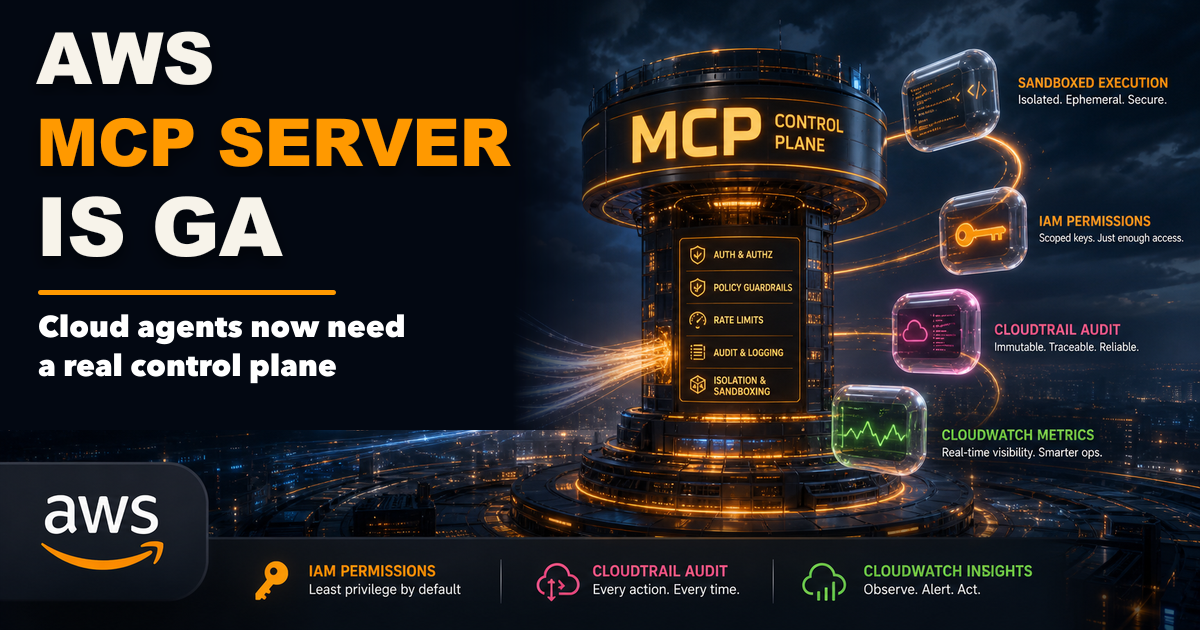
AWS made its MCP Server generally available on May 6, 2026.
That sounds like a developer-tool announcement. It is bigger than that.
MCP servers are becoming the bridge between AI agents and real systems. In small demos, that usually means a local assistant can read docs, search a repo, or call a tool. In cloud operations, the stakes are different. An agent may inspect infrastructure, propose a fix, run a diagnostic script, or touch production-adjacent resources.
That is why AWS turning MCP into a managed service matters. It signals that agent tooling is moving from “connect my assistant to a tool” toward “give agents controlled access to cloud systems with identity, audit logs, metrics, and policy.”
If you are still getting oriented on the protocol itself, start with Why MCP Is Becoming the Default Standard for AI Tools in 2026. This post focuses on the AWS launch and what teams should do with it.
TL;DR
- AWS MCP Server became generally available on May 6, 2026.
- The service gives agents a managed way to access AWS tools and account context through MCP.
- The important pieces are not only tool calls. They are IAM integration, CloudTrail audit events, CloudWatch metrics, sandboxed Python scripts, and account-level controls.
- This is most useful for cloud teams that want agent assistance without handing a local desktop tool broad credentials.
- The practical move is to treat MCP access like production infrastructure access: scoped roles, approval paths, logs, and route-specific permissions.
What AWS actually shipped
AWS describes the AWS MCP Server as a managed service that exposes AWS resources and APIs to MCP clients. It is part of the AWS Agent Toolkit and is designed to work with agentic development environments and MCP-compatible clients.
The general availability announcement highlights several production-facing controls:
- IAM-based authorization, so access can be controlled through AWS identity and permission systems.
- CloudTrail logging, so activity can be audited.
- CloudWatch metrics, so usage and behavior can be monitored.
- AWS account context, so tools can operate against the right account information.
- Sandboxed Python script execution, so agents can run controlled analysis or helper scripts.
That list is the real story.
The interesting part is not merely “AWS supports MCP.” The interesting part is that AWS is wrapping MCP in the operational primitives cloud teams already use.
Why this matters
Most agent-tool discussions still sound like desktop automation: install a client, add a server, give it a token, and let the model call tools.
That is fine for experiments. It is uncomfortable for cloud operations.
Cloud teams need answers to questions like:
- Which principal authorized this tool call?
- Which account and region did the agent touch?
- What did the agent read?
- Did it execute a script?
- Was the script sandboxed?
- Can we see the event in CloudTrail?
- Can we monitor usage over time?
- Can we restrict the agent to read-only diagnostics first?
Managed MCP does not automatically solve every one of those problems, but it gives teams a more familiar place to solve them.
This is the same direction we are seeing across the agent ecosystem: agents need less blind autonomy and more controlled access. That connects directly to AI Coding Agents Need Guardrails, Not More Autonomy.
Who this is for
This matters most if you are:
- running AWS workloads and evaluating coding agents
- building internal developer platforms
- giving agents access to cloud diagnostics
- trying to standardize MCP across a team
- worried about local tool credentials spreading across laptops
- designing audit trails for AI-assisted operations
It matters less if your current MCP use is limited to local files, personal notes, or simple documentation lookup.
The control plane pattern
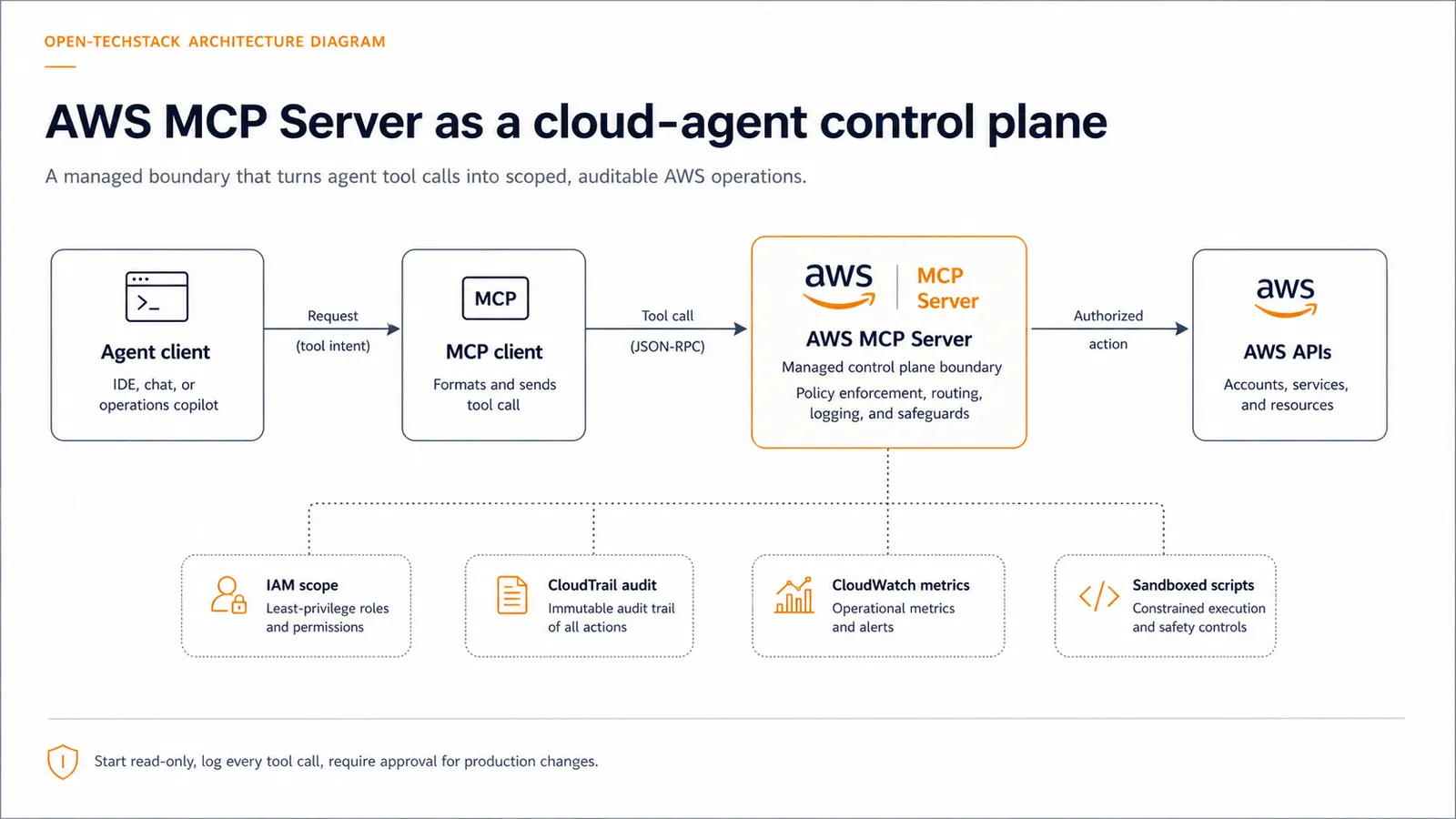
The safest way to think about AWS MCP Server is as a control plane between the agent and the cloud account.
Instead of this:
agent -> local credential -> direct cloud actionUse this:
agent -> MCP client -> AWS MCP Server -> IAM policy -> AWS APIs
                                      -> CloudTrail
                                      -> CloudWatch
                                      -> sandboxed scripts
That changes the operating model. The agent is no longer just a clever assistant with a token. It becomes a caller going through a managed boundary.
Starter access policy
Before letting an agent operate against cloud resources, start with a policy like this:
IF environment = production
THEN read-only diagnostics by default

IF action = script_execution
THEN require sandbox, timeout, logging, and explicit scope

IF action = write, delete, deploy, rotate_secret, or change_iam
THEN require human approval or block

IF agent_access = enabled
THEN log CloudTrail events and monitor CloudWatch usage

IF role_scope = broad_admin
THEN reject until a narrower role exists
That policy is intentionally conservative. The goal is not to make agents useless. The goal is to make the first version boring enough to trust.
Decision matrix
| Use case | Recommended starting posture |
|---|---|
| Reading AWS docs or account metadata | Allow with normal authentication |
| Inspecting logs and metrics | Allow with read-only role and monitoring |
| Running diagnostic scripts | Allow only inside a sandbox with timeouts and logs |
| Modifying infrastructure | Require approval and narrow role scope |
| Deploying code or changing IAM | Block by default until the workflow is explicitly designed |
| Working across multiple accounts | Separate roles and logs by account boundary |
The practical rule is simple: the closer the action gets to production state, money, secrets, or identity, the more human review it needs.
What to watch next
The AWS launch is part of a larger pattern. Cloud providers, browser platforms, and developer-tool companies are all trying to make agent access more governable.
For AWS, the next questions are:
- How easy will it be for teams to standardize approved MCP clients?
- How granular will practical permission patterns become?
- Will teams build separate agent roles for diagnostics, remediation, and deployment?
- How will CloudTrail events be reviewed when agent usage becomes frequent?
- Will developers treat MCP servers like production integration points or like local plugins?
That last question matters most.
If teams treat MCP servers like casual plugins, they will recreate old credential-sprawl problems with a smarter interface. If they treat MCP servers like infrastructure, they get a chance to make agents useful without turning every laptop into a privileged control surface.
Common mistakes
- Giving a local agent broad administrator credentials because it is “just for testing.”
- Allowing script execution without timeouts, logs, or clear scope.
- Mixing production and sandbox access through the same role.
- Watching model output but not cloud-side audit logs.
- Treating MCP as a convenience layer instead of an access boundary.
These are not exotic mistakes. They are the normal failure modes when developer convenience arrives before operational design.
FAQ
Is AWS MCP Server only for coding agents?
No. Coding agents are the obvious first audience, but the pattern applies to any MCP-compatible agent or client that needs controlled access to AWS resources and APIs.
Does managed MCP make agent access safe by default?
No. It gives teams better control points, but safety still depends on IAM scope, approval rules, audit review, monitoring, and workflow design.
Should agents be allowed to change production infrastructure?
Not as a first step. Start with read-only diagnostics, then add tightly scoped remediation workflows only after logging, approval, and rollback paths are clear.
Is this different from giving an agent AWS credentials locally?
Yes. A managed server can centralize identity, account context, monitoring, and auditability. Local credentials are easier to scatter and harder to govern consistently.
Bottom line
AWS MCP Server going GA is a useful signal: cloud agents are moving toward managed access layers.
The win is not that agents can call more tools. The win is that teams can start putting those tool calls behind the controls cloud operations already understands: IAM, CloudTrail, CloudWatch, account boundaries, and sandboxing.
For production-minded teams, that is the right direction. Let agents help with investigation first. Require stronger review for actions that change state. Treat every MCP server as infrastructure, not a toy plugin.
Related posts
- Why MCP Is Becoming the Default Standard for AI Tools in 2026
- How Teams Use MCP Servers for Real Internal Tooling
- MCP Elicitation: The Missing Human-in-the-Loop Primitive for Agents
- AI Coding Agents Need Guardrails, Not More Autonomy
- AI Agent Browser Security Checklist: Let Agents Use Your Site Without Letting Bots Abuse It
Sources
