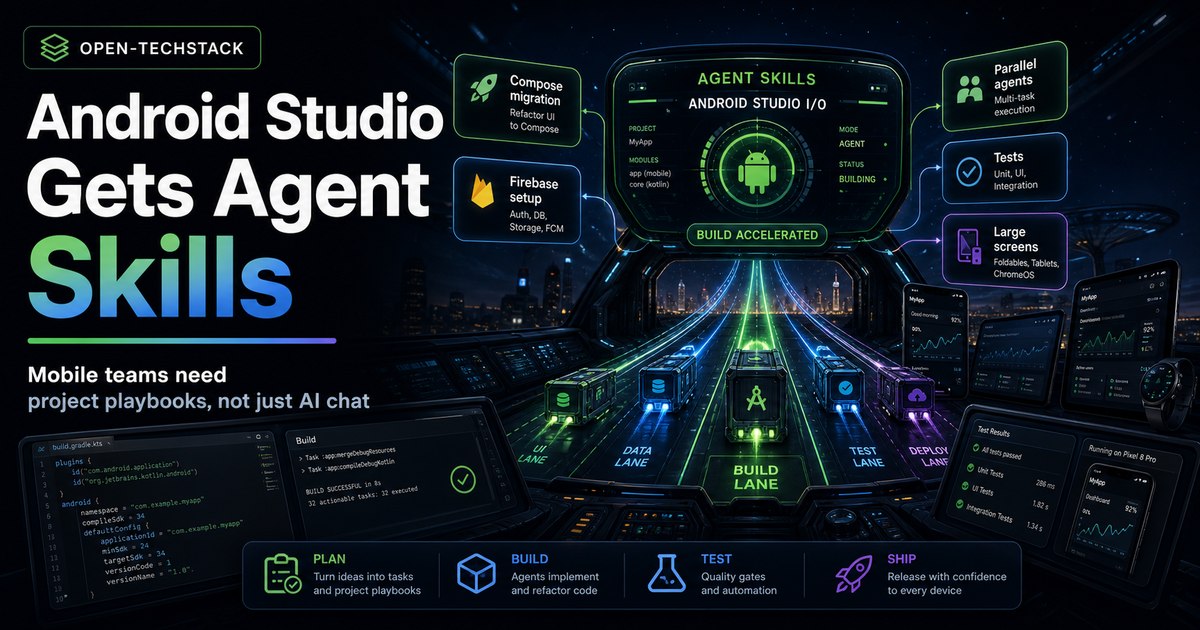
Android Studio I/O Edition is a signal that mobile development is moving from “AI assistant in the IDE” toward agent-ready project workflows.
Google’s Android Developers Blog says the new tooling is built for the “agentic era,” with features meant to help Android developers and the AI agents they deploy in a codebase. The most important new piece is not chat. It is Agent Skills: modular instruction sets that ground an agent in specialized workflows and domain-specific knowledge.
That changes the practical job for mobile teams.
The question is no longer “should developers use AI in Android Studio?” The sharper question is: what project playbooks, guardrails, and verification gates does the agent need before it touches a real app?
This is independent Open-TechStack analysis. It is not official Google, Android, Firebase, legal, or release guidance.
TL;DR
Android Studio I/O Edition matters because Google is turning Android agent workflows into something more structured than generic IDE chat.
- Agent Skills let teams add modular instructions that teach the agent project-specific workflows, architecture patterns, and library usage.
- Google says Android Studio bundles Android and Firebase agent skills in the latest Canary build.
- Firebase services such as Auth and Firestore can be enabled from Agent Mode using Firebase Agent Skills, according to Google’s announcement.
- Agent Mode now supports parallel conversations, so one agent thread can run tests while another plans a feature or writes docs.
- Google’s New Project Agent is described as using a multi-step execution plan and an autonomous generation loop that can self-correct build errors and configure dependencies across files.
- The risk is obvious: faster agents can also create faster architecture drift, flaky tests, and misconfigured Firebase changes.
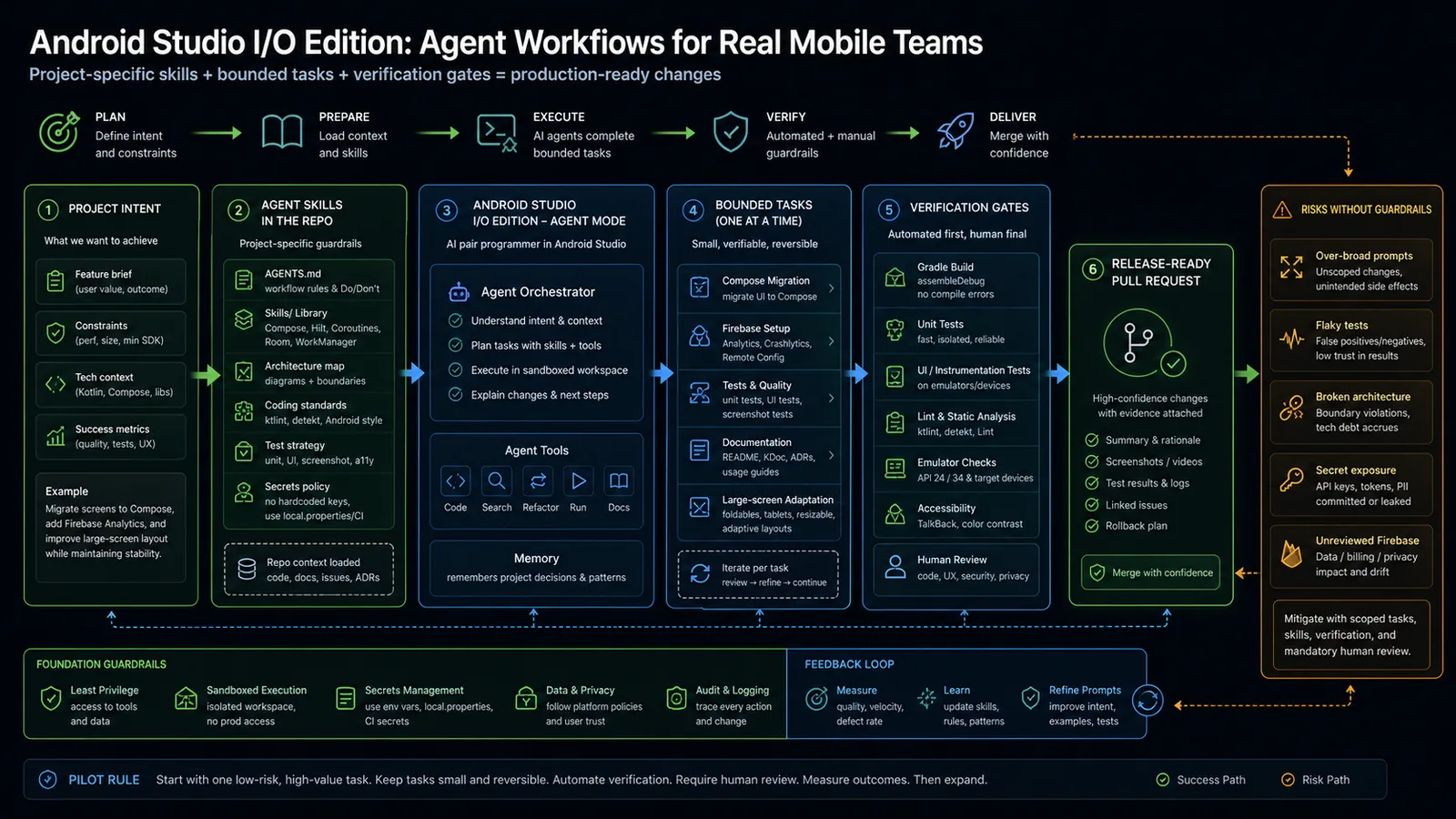
The recommendation: treat Android agent workflows like a release pipeline. Skills should live near the repo, tasks should be bounded, and every agent change should pass build, tests, lint, emulator checks, accessibility review, and human acceptance before merge.
What changed
Google’s announcement frames Android Studio I/O Edition around three broad areas: letting the agent handle more work, building for the devices and form factors users choose, and continuing investment in core performance and quality tooling.
The agent portion is the most interesting for production teams. Google says Android Studio now supports Agent Skills, which are modular instruction sets that ground large language models in specialized workflows and domain-specific knowledge.
That means a team can move some guidance out of scattered prompts and into reusable project rules:
| Agent input | What it should contain |
|---|---|
| Architecture guidance | module boundaries, state management, navigation, data flow |
| UI guidance | Compose patterns, accessibility, large-screen behavior |
| Firebase guidance | Auth, Firestore, Analytics, Remote Config, privacy constraints |
| Testing guidance | unit tests, instrumentation tests, screenshot tests, emulator targets |
| Release guidance | lint, Play policy, performance, rollback expectations |
The point is not that the agent becomes autonomous by default. The point is that the agent can be given better local instructions before it acts.
Why skills matter more on mobile
Mobile apps are less forgiving than many backend experiments.
An Android agent can break:
- navigation behavior on foldables, tablets, or ChromeOS
- runtime permissions and privacy expectations
- Firebase billing, rules, analytics, or data retention behavior
- accessibility semantics in Compose UI
- offline behavior, startup performance, and battery usage
- release signing, flavor configuration, and Gradle dependencies
Generic AI guidance is not enough for that surface area. A mobile agent needs to know the app’s architecture, target SDK, supported form factors, test strategy, dependency policy, and product constraints.
That is why Agent Skills are useful: they are a place to encode project memory before the agent generates code.
The mobile team playbook
Do not start by asking the agent to “build the feature.” Start by giving it a bounded workflow.
A strong first skill should answer:
- What architecture does this app follow?
- Which modules can the agent edit?
- Which files are off-limits?
- Which UI patterns are preferred?
- Which Firebase services are allowed?
- Which tests must be created or updated?
- Which commands prove the change is safe?
- What needs human review?
For example:
| Workflow | Good agent task | Bad agent task |
|---|---|---|
| Compose migration | ”Migrate this one screen to Compose while preserving navigation and tests." | "Modernize the UI.” |
| Firebase setup | ”Add Analytics event tracking for this onboarding step using existing wrappers." | "Add Firebase to the app.” |
| Large-screen support | ”Adapt this list/detail screen for tablets and foldables." | "Make the app responsive.” |
| Test triage | ”Reproduce this failing instrumentation test and propose a minimal fix." | "Fix all tests.” |
Small, reversible, well-instrumented tasks are where agent workflows become useful instead of chaotic.
Verification gates
Every Android agent workflow should end with evidence.
Use a checklist like this:
./gradlew assembleDebugor the app’s equivalent build target- unit tests for changed logic
- UI or instrumentation tests for changed flows
- lint and static analysis
- emulator run for the relevant device profile
- screenshot or visual review for Compose changes
- accessibility review for touch targets, labels, contrast, and navigation
- Firebase config review when Auth, Firestore, Analytics, Remote Config, or messaging changes
- human review of architecture, privacy, and release risk
The important phrase is for the relevant device profile. A change that works on a phone can still fail on a foldable, tablet, TV surface, XR view, or ChromeOS window if the app supports those form factors.
Risk matrix
| Risk | What can go wrong | Control |
|---|---|---|
| Over-broad prompts | Agent edits too many files or changes architecture without intent | Scope tasks to one screen, module, or workflow. |
| Broken architecture | Agent bypasses local patterns and creates tech debt | Put architecture rules in skills and require review. |
| Firebase drift | Agent changes rules, billing-impacting services, or analytics semantics | Keep Firebase changes behind explicit approval. |
| Flaky tests | Agent adds tests that pass once but fail on CI or devices | Require repeatable CI and emulator verification. |
| Secret exposure | API keys or service credentials appear in code or logs | Ban secrets in skills and scan changed files. |
| Accessibility regression | UI changes look fine but degrade screen-reader or keyboard behavior | Add accessibility checks to the workflow. |
The agent should not decide these policies. The team should.
What not to do
Do not treat Agent Mode as a junior developer with unlimited repository access.
That framing is tempting, but wrong. The agent is better understood as a fast execution layer that needs:
- a clear task boundary
- repo-specific skills
- tool restrictions
- verification commands
- human review
- rollback expectations
Also do not let parallel conversations become parallel chaos. Running tests in one thread while planning in another is useful only if the team can reconcile the outputs into one reviewable change.
FAQ
Are Android Agent Skills only for Google’s bundled workflows?
No. Google’s announcement says skills can teach an agent specific best practices, architecture patterns, or library workflows. The bundled Android and Firebase skills are a starting point, but project-specific skills are where teams get leverage.
Should every Android repo add agent skills now?
Not every repo needs them immediately. Add skills first where agents already touch repeated workflows: Compose migration, test triage, Firebase integration, docs, large-screen adaptation, or dependency cleanup.
Can Agent Mode safely configure Firebase?
Only with guardrails. Firebase changes can affect auth, data access, billing, analytics, and privacy. Treat them as infrastructure changes with review and environment separation.
What is the first pilot task?
Pick one small but real workflow: migrate one screen to Compose, add tests for one bug fix, or adapt one layout for a tablet profile. Require build output, tests, screenshots, and human review.
Bottom line
Android Studio I/O Edition is not just another AI chat surface. Agent Skills make Android development more structured by giving agents reusable project guidance.
The opportunity is faster mobile work with less prompt repetition. The risk is faster drift if agents operate without architecture rules, verification gates, and release discipline.
For serious teams, the next move is simple: write one project skill, run one bounded pilot, require evidence, and expand only after the agent proves it can respect the app’s architecture and release quality.
Sources
- Android Developers Blog: Android Studio I/O Edition: What’s new in Android Developer tools
- Android Developers: Android Studio preview
- GitHub Docs: About agent skills
