Two wake-up calls in three months
In March 2026, attackers compromised the PyPI publishing credentials for LiteLLM — a library used to route requests across 100+ LLM providers with 95 million monthly downloads. Two backdoored versions (1.82.7 and 1.82.8) exfiltrated credentials, API keys, and Kubernetes secrets from every environment that ran pip install.
In June 2026, the U.S. government ordered Anthropic to suspend Fable 5 and Mythos 5 for all foreign nationals. The models did not change — the regulatory landscape did. Every enterprise built on those APIs lost access overnight.
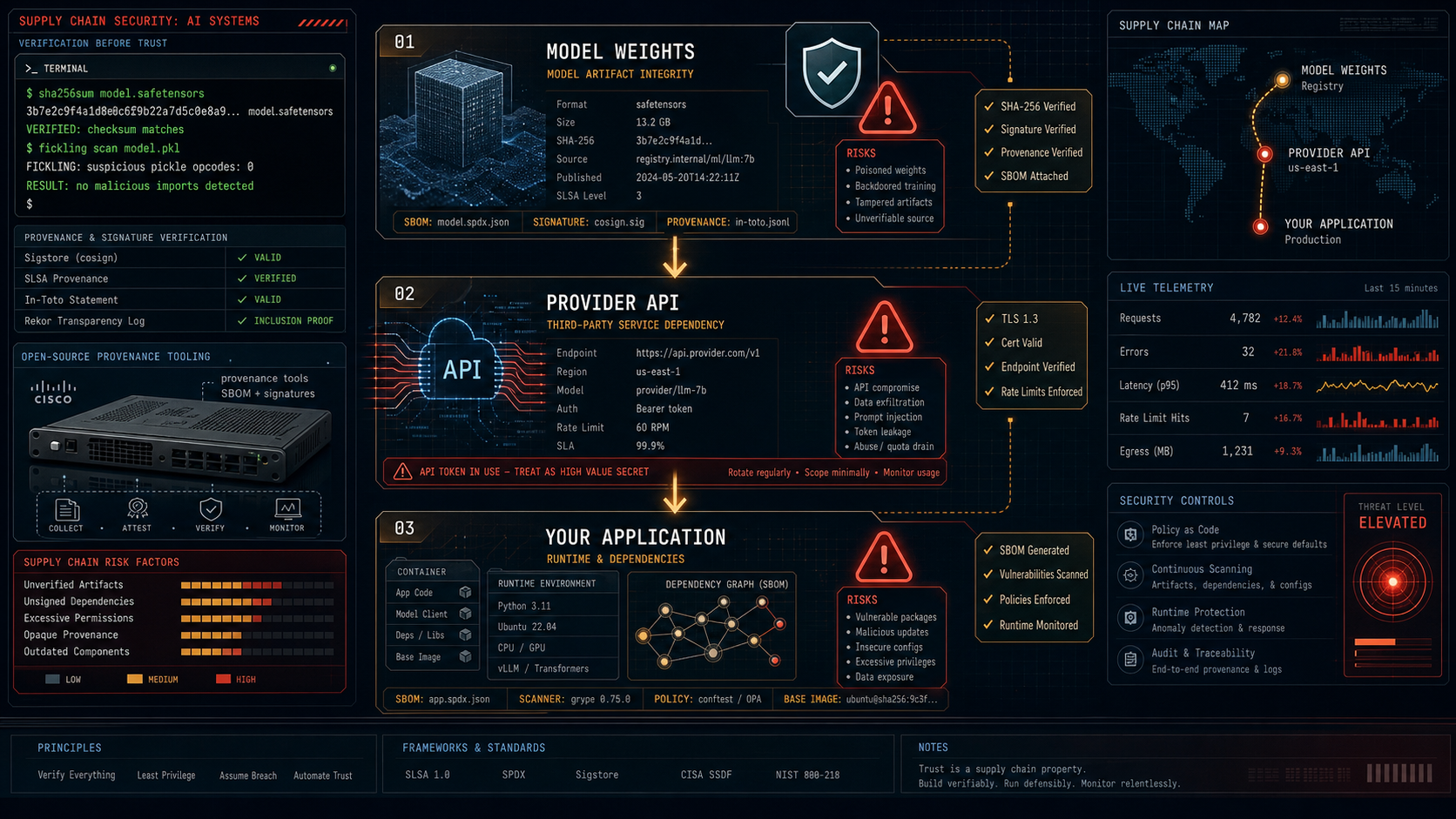
These share the same attack surface: you do not control what you depend on, and the dependency chain runs deeper than most teams track.
This post covers the practical side of AI supply chain security — the tools, how to use them, and a reasonable checklist for teams shipping AI to production.
Three threat vectors
Before the tools, the vectors:
| Vector | Example | Risk |
|---|---|---|
| Model provenance | A Hugging Face model claims to be trained from scratch but is a modified copy of a restricted-weight model | License violation, regulatory exposure, inherited vulnerabilities |
| Serialization attacks | A pickle-format model file contains os.system() calls that execute on load | Remote code execution, credential theft, lateral movement |
| Provider and dependency poisoning | A trusted PyPI package (LiteLLM) or a trusted API provider (Fable 5) becomes unavailable or compromised | Service outage, data exfiltration, supply chain cascade |
Each has a different toolkit. Each needs to be part of your pipeline.
Model provenance: the DNA test for weights
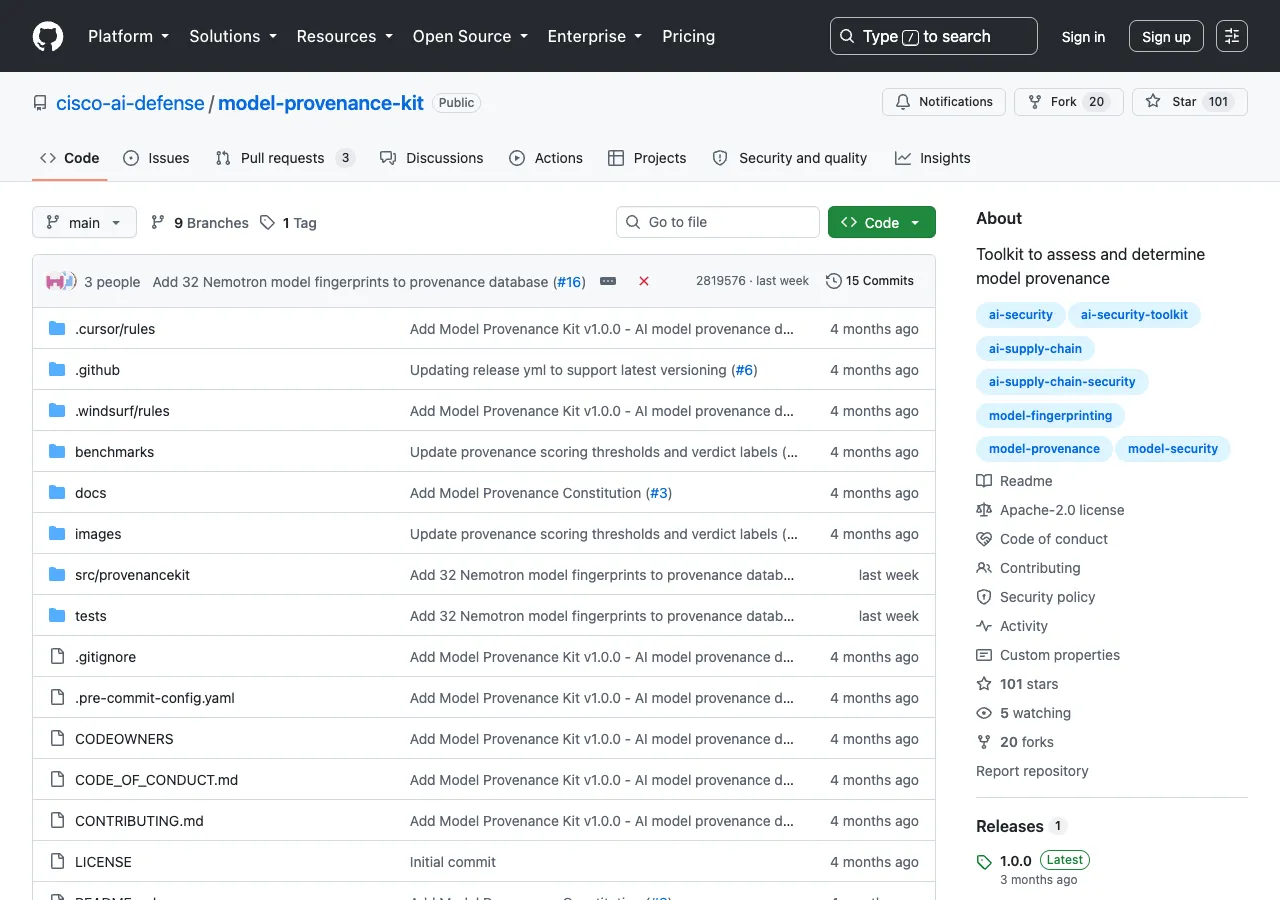
Cisco’s Model Provenance Kit — released open-source under the cisco-ai-defense organization — is the most practical option available today.
It works like a DNA test: it examines both metadata and actual learned parameters to determine whether two transformer models share a common origin. The benchmark on a 111-pair test set is strong:
| Metric | Score |
|---|---|
| Accuracy | 96.4% |
| Precision | 98.1% |
| Recall | 94.6% |
| Standard derivatives (fine-tunes, quantizations, LoRA merges) | 100% recall |
How it works (two stages)
Stage 1: Architecture screening. Compares model configs and structural metadata without loading weights. Resolves most cases in milliseconds.
Stage 2: Weight comparison. When metadata is ambiguous, extracts five signal fingerprints from the weights themselves:
- Embedding Anchor Similarity — geometric relationships unique to a training run
- Norm Layer Fingerprint — stability across fine-tuning in small normalization layers
- Layer Energy Profile — energy curve distributions across network depth
- Weight-Value Cosine — direct correlation between corresponding layers (near zero for independently trained models)
The CLI is straightforward:
# Compare two models side-by-side
provenancekit compare z-ai/GLM-5.2 moonshotai/kimi-k2.7-code

# Scan one model against a database of 150+ known base models
provenancekit scan meta-llama/Llama-3.3-70B --json
The reference database covers ~150 base models across 45 families from 20 publishers (Meta, Google, DeepSeek, Zhipu AI, Moonshot AI, Mistral, and more). It runs entirely on CPU — architectural matches are resolved in milliseconds, and extracted features are cached for reuse.
Serialization security: pickle is the problem
Most AI models are distributed in Python pickle format or its derivatives. Pickle allows arbitrary code execution during deserialization — torch.load('model.pt') can run whatever the attacker embedded.
Tools
| Tool | What it does | Creator |
|---|---|---|
| SafeTensors | Serialization format that cannot execute code. Zero-copy loading, no pickle | Hugging Face |
| Fickling | Static analysis of pickle files. Detects malicious patterns without loading | Trail of Bits |
| ModelScan | Multi-format scanner supporting H5, Pickle, SavedModel. Flags os.system, subprocess, and suspicious calls | Protect AI |
| weights_only=True | PyTorch parameter that restricts pickle to safe globals only | PyTorch |
Practical use
# Scan a pickle model file for malicious code
fickling scan model.pt

# Check a model directory with ModelScan
modelscan --path ./downloaded-models/

# Load safely in PyTorch
torch.load("model.pt", weights_only=True)
The TryHackMe room “Securing the AI Supply Chain” walks through all of these tools in a lab environment — SafeTensors to replace pickle, Fickling to detect payloads, and ModelScan to verify before deployment.
Dependency and provider auditing
The LiteLLM incident was not a model attack — it was a Python package attack. The malicious code lived in the distribution wheel, not in the model weights. It executed on pip install, before any model loaded.
What to audit
| Layer | Tool | Check |
|---|---|---|
| Python dependencies | pip-audit | Scan requirements.txt against known vulnerability databases |
| Container dependencies | Syft | Generate SBOMs (Software Bill of Materials) for containers |
| Model dependencies | ML-BOM | Track training data, architecture, safety benchmarks |
| Provider endpoints | Behavior monitoring | Baseline response patterns, alert on deviations |
Provider risk checklist
The Fable 5 ban proved that a provider you trust today may be unavailable tomorrow — not because of technical failure, but because of regulatory action, export controls, or a terms-of-service change. The same applies to API providers that silently update their model versions without notice.
- Pin model versions explicitly in your gateway config (not
latesttags) - Monitor for response pattern drift — faster responses, different tone, changed refusal behavior
- Maintain a fallback provider for every critical model
- Run your own evaluation suite against each provider’s output weekly
- Treat API keys as high-risk credentials — they are the target (LiteLLM exfiltrated exactly this)
A practical checklist
This is what a reasonable supply chain review looks like for a team running AI in production:
Before downloading a model:
- Verify SHA-256 checksum against the publisher’s published hash
- Run
fickling scanon pickle-format files - Use SafeTensors when available (preferred format)
- Check the model card for training data provenance
Before deploying a model or provider:
- Run
provenancekit scanto verify claimed origin - Pin model version (never use
auto,latest, or unpinned tags) - Add a fallback provider in your gateway configuration
- Generate an SBOM for the deployment environment
Ongoing monitoring:
- Weekly provider response benchmarking
- Alert on provider latency or output quality changes
- Rotate API keys on a schedule (immediately after any supply chain incident)
- Review ML-BOM for components updated in the release cycle
Related reading
- Multi-Provider AI Gateways: Fallback Routing and Provider Diversity — How to survive provider outages with fallback configurations
- The Fable 5 Incident: Multi-Agent Jailbreaks and Sovereign Safety — Why the ban happened and what it means for provider dependency
- OpenRouter Fusion: Match Fable 5 on Deep Research at Half the Cost — Budget panels as an alternative to single-provider lock-in
Sources
- Cisco — Model Provenance Kit (GitHub)
- Cisco Blog — Introducing Model Provenance Kit
- Help Net Security — Cisco releases open-source toolkit for verifying AI model lineage
- Cloudsmith — The 2026 Guide to Software Supply Chain Security
- Datadog Security Labs — LiteLLM and Telnyx compromised on PyPI
- TryHackMe — Securing the AI Supply Chain
- Protect AI — ModelScan
- Trail of Bits — Fickling
- Hugging Face — SafeTensors
- NetSPI — LiteLLM Supply Chain Compromise
About the author
Charles Jasthyn De La Cueva is a full-stack developer and the founder of Open TechStack. He writes about AI engineering, developer tools, and practical model evaluation — grounded in real workflows, not press releases.
